Absolute Sliding Panel- Replacing the Drive Eyelet
In the event that the drive eyelet comes out of the drive glider on your Absolute Sliding Panel, follow these simple instructions to replace it.
1. Uninstall the panels from the track, and if you do not have room to work on the back of the track, you will need to uninstall the track to gain access.
2. Locate the drive eyelet on the driving glider – the front most glider.
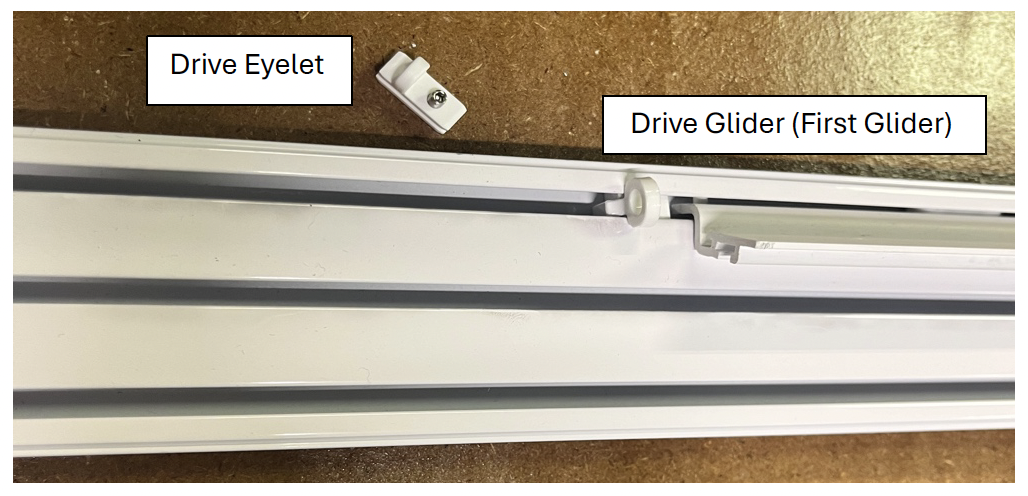
3. Slot the eyelet into the channel on the back of the drive glider.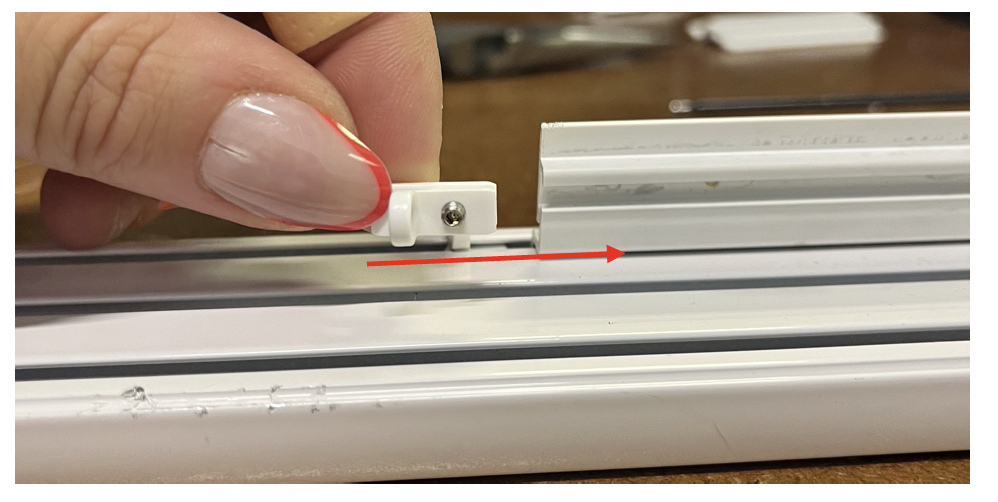
4. Make sure the drive eyelet only slots in as far as the loop. There should be about 1/8” of eyelet sticking out of the glider.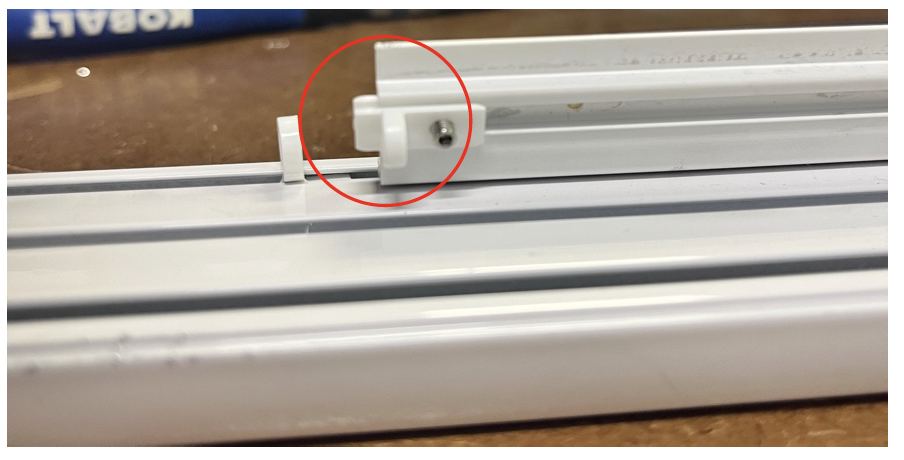
5. Tighten the set screw on the drive eyelet with the provided 1.5mm Allen key.
- Do not overtighten – only until the eyelet is secure, the set screw should not be poking out and bubbling the plastic on the front of the glider
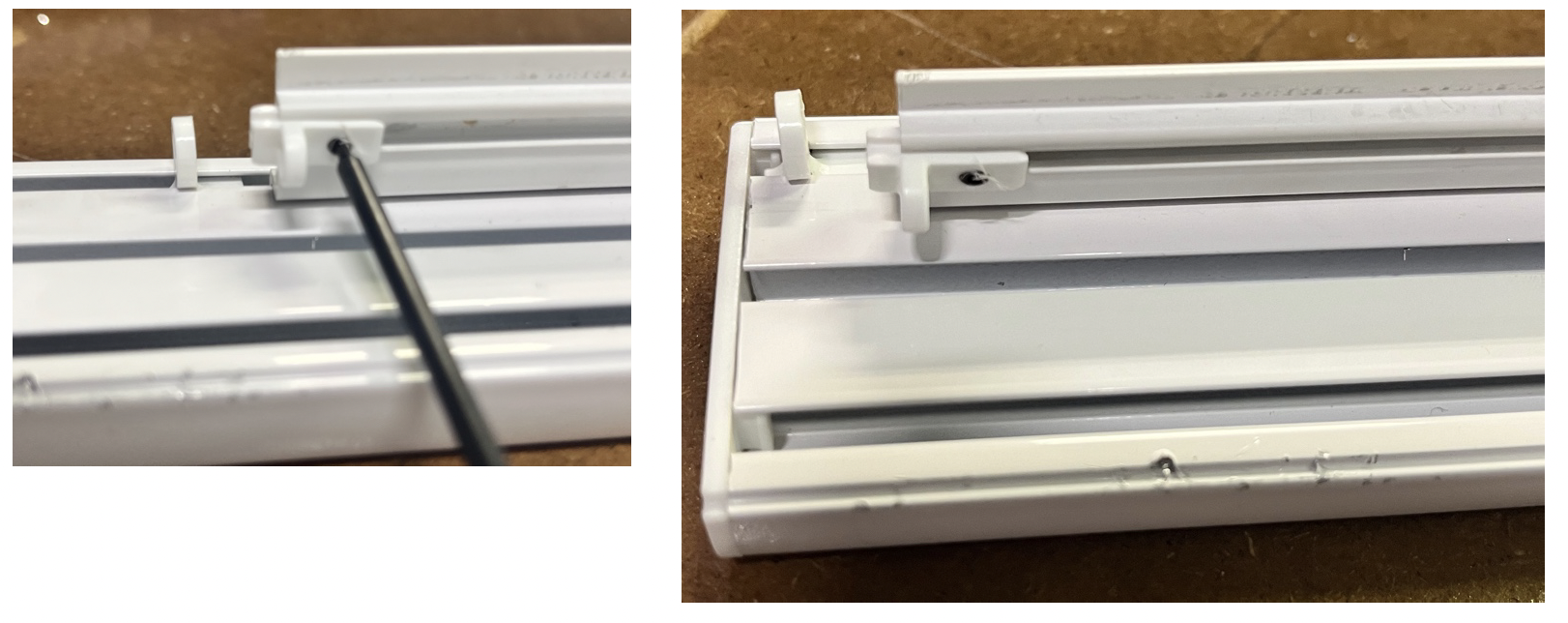
6. Confirm the drive eyelet is securely installed by running the track a few times by hand.
Then you are free to re-install the track and panels.
Last Updated: 1.03.25
Was this article helpful?
That’s Great!
Thank you for your feedback
Sorry! We couldn't be helpful
Thank you for your feedback
Feedback sent
We appreciate your effort and will try to fix the article