Absolute Sliding Panel
L-Stopper Replacement and Adjustment Instructions
There are several small parts that enable your sliding panel to operate properly. Sometimes the pieces that collect and distribute the panels evenly in operation become loose or fall out of the gliders. Follow these simple instructions to replace or adjust these parts as needed.
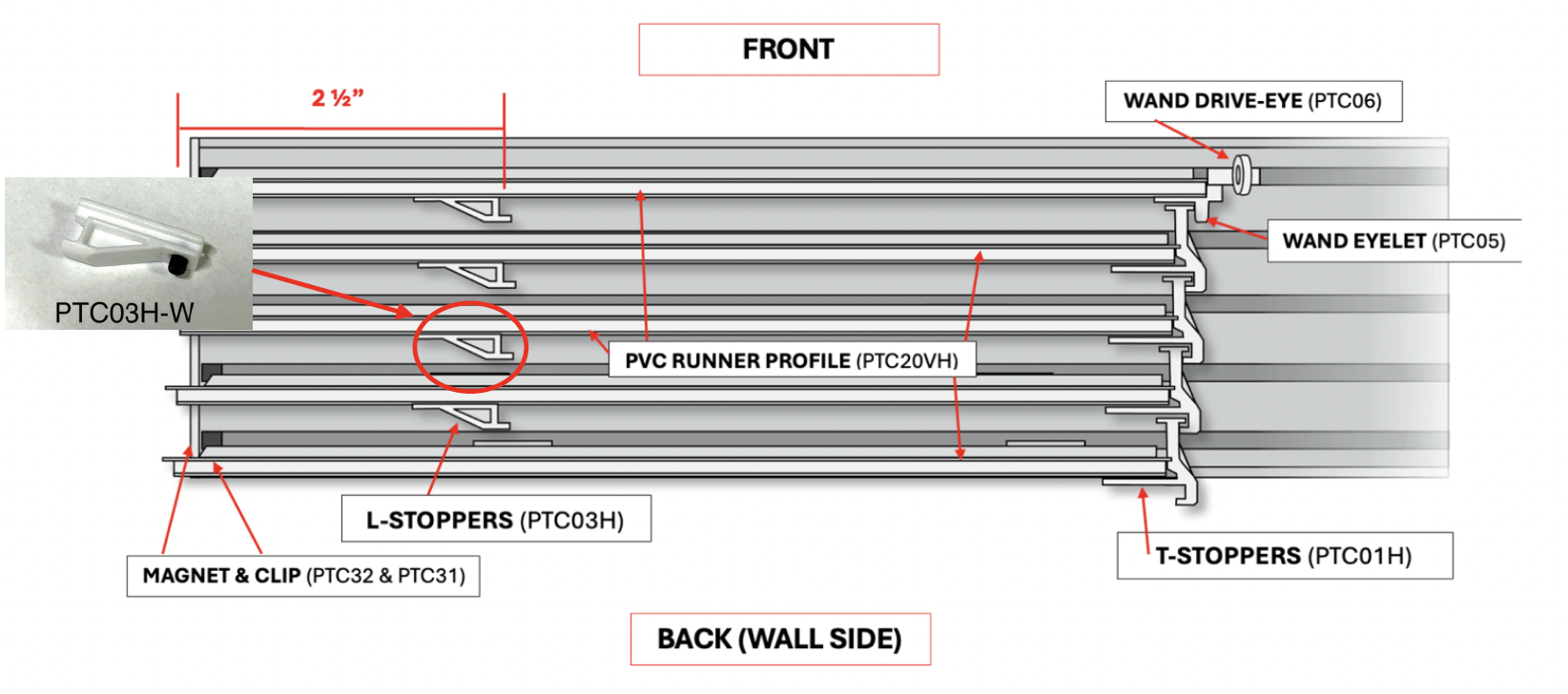
1. Ensure you have access to the back or wall side of the sliding panel gliders. You can uninstall the track or set up to face the back of the product for ease of access.
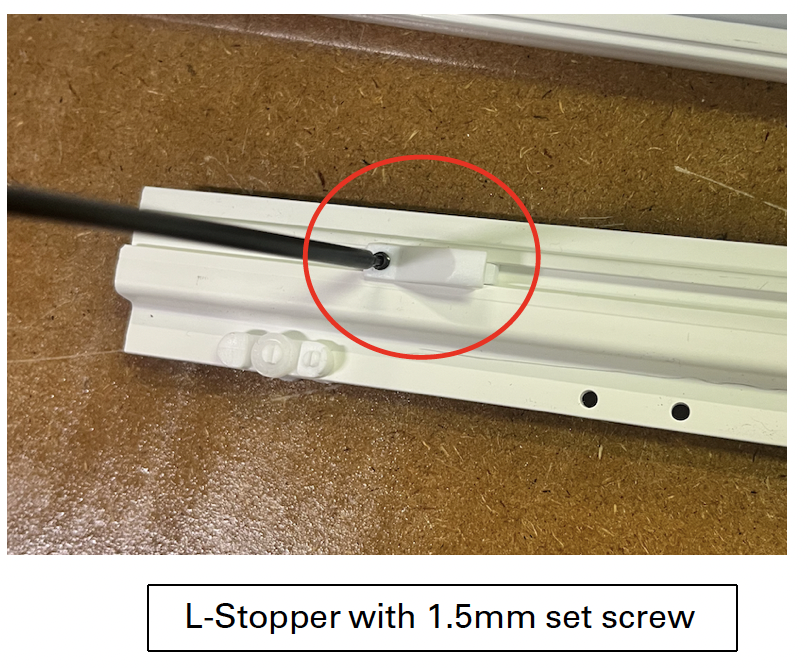
2. Each L-Stopper has a small set screw holding the piece in position in the groove on the glider. This set screw can be loosened or tightened using a 1.5mm allen key. Do not over tighten – the set screw will puncture the front of the glider.
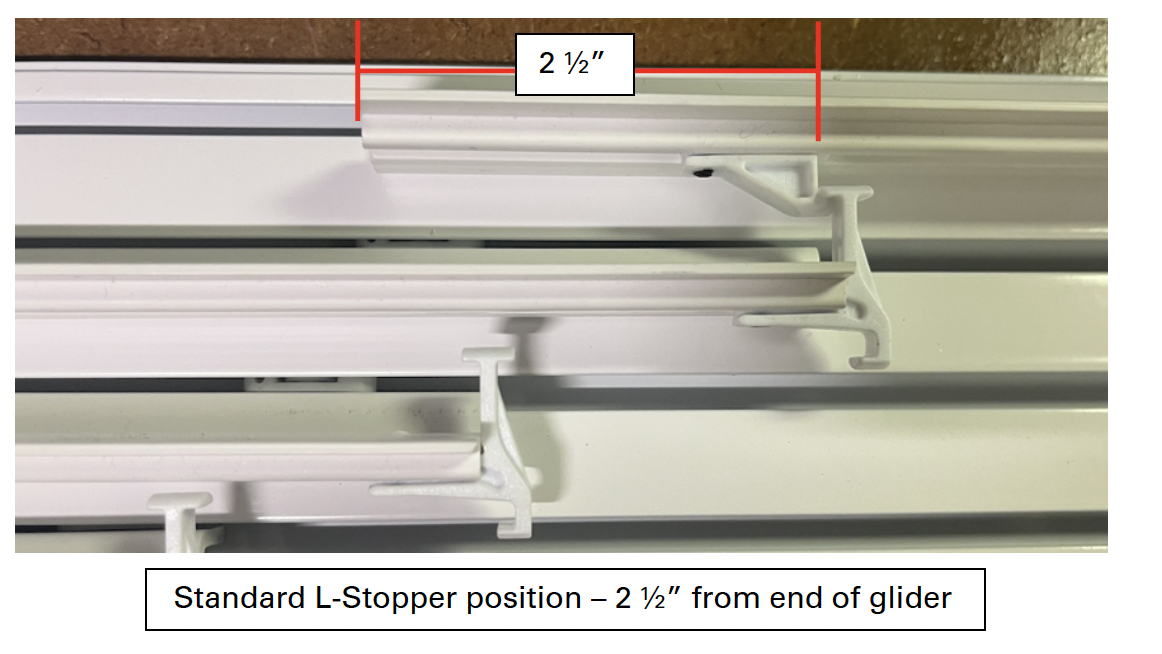
3. The L-Stopper position determines the panel overlap, which is set at a standard 2 ó”. However, this overlap amount can be adjusted by moving the L-Stopper. This is only necessary if the panels are not operating properly or do not fully close to the end of the track.
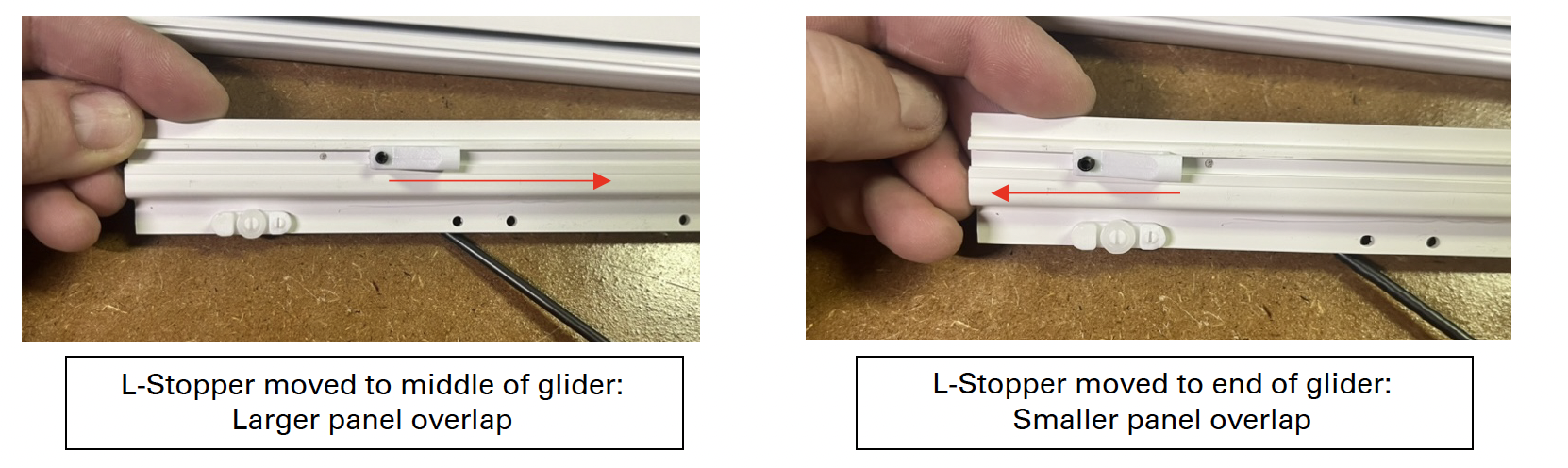
- Move the L-Stopper farther onto the glider to create a greater panel overlap.
- Move the L-Stopper out towards the end of the glider to create less of an overlap.
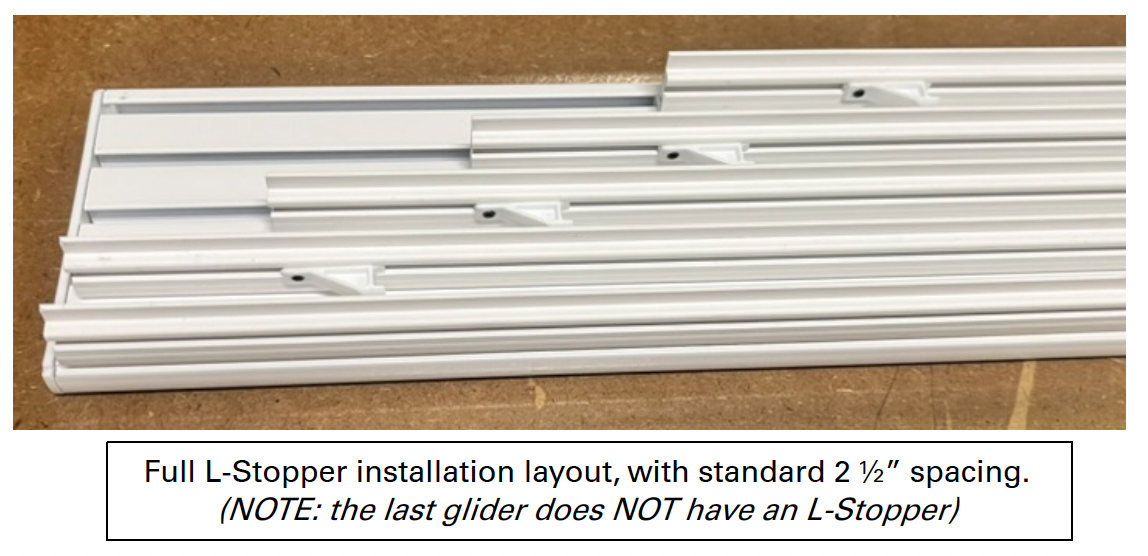
4. Once L-Stopper is reinstalled, install the track and panels to check operation.
Last Updated: 1.03.25
Was this article helpful?
That’s Great!
Thank you for your feedback
Sorry! We couldn't be helpful
Thank you for your feedback
Feedback sent
We appreciate your effort and will try to fix the article